API (OpenAPI)
If your system has a REST API, you connect it by uploading the file that describes it — the OpenAPI file (formerly Swagger). The platform reads the file, discovers the endpoints and knows how to call each one: parameters, pagination and where the records are in the response.
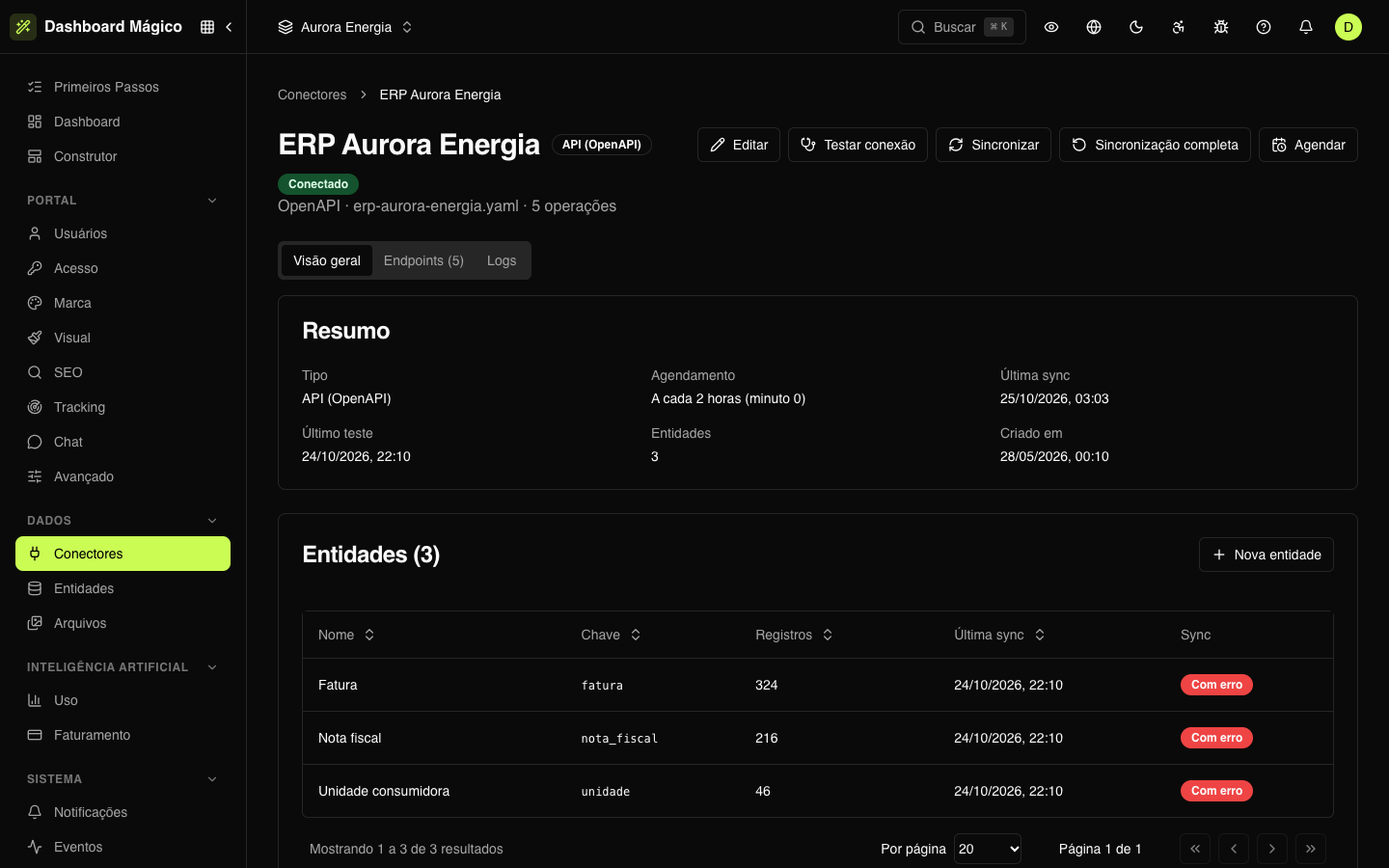
In the Aurora Energia workspace, the ERP Aurora Energia connector is an API like this: the portal's invoices, tax invoices and consumer units come from it.
Connect an API
-
In Data › Connectors, click Connect source and open the API tab.
-
Fill in the fields:
Field What to enter Connector name A name to recognize the source, such as ERP Aurora Energia. When you upload the spec, the file name already comes as a suggestionOpenAPI spec The openapi.jsonor.yamlfile — versions 2.0 or 3.x, up to 5 MBBase URL The API address, such as https://erp.auroraenergia.com.br/api/v2. If the spec declares a server, it comes already filled inResponse format JSON or XML Authentication type How the API checks who is calling (see below) -
Click Test connection to check.
-
Click Connect and sync.
As soon as you choose the file, the screen shows what was found: the format, the OpenAPI version and how many operations there are (and how many are read operations). Warnings about the spec appear right below.
Authentication
The platform suggests the authentication type from the spec. You can change it:
| Type | How it works |
|---|---|
| No authentication | The API is open |
| Header (API key) | One or more headers with the key, such as X-Api-Key. Use Add header to include more |
| Query string | The key goes as a URL parameter. Use Add parameter to include more |
| Bearer token | The token goes in the Authorization: Bearer … header |
| Basic auth | Username and password |
| Certificate (mTLS) | A client certificate (.pfx, .p12 or .pem) and its password, when there is one |
Credentials are encrypted and never come back to the screen.
Test the connection
The test calls a read endpoint that needs no parameters (asking for a single record, when it paginates) and checks that the API responds, accepts the credentials and returns the records where the spec says. If the spec has no such endpoint, the test only checks that the Base URL responds.
Endpoints
On the connector page, the Endpoints tab lists the API operations:
| Column | What it shows |
|---|---|
| Name | The operation name, such as List invoices. Operations marked disabled or deprecated don't show up when creating entities |
| Source | The method and the path, such as GET /faturas |
| Access | Read or Write |
| Incremental | Whether the endpoint accepts a "changed since" filter — so the sync reads only what changed |
Read endpoints are the ones that become entities: click Create entity next to one of them. In ERP Aurora Energia, List invoices (GET /faturas) became the Invoice entity; Request reconnection (POST /unidades/{id}/religacao) is a write operation and doesn't become an entity.
Replace the spec
When the API changes, open the connector, click Edit and upload the new file in OpenAPI spec. The endpoints are read again, and the ones with the same key keep their settings. In Edit you can also change the Base URL, the response format and the authentication.
Kobana catalog products
For Kobana products, the spec comes ready. In the Catalog tab of Connect source:
- Click Connect on the product: Financeiro Inteligente, Faturamento Automático, Régua de Cobrança or Gateway Bancário.
- Choose the Environment: Production or Sandbox.
- Paste the Access token (the screen says where to issue the token for each product).
- In Financeiro Inteligente, enter the Workspace ID only if the organization has more than one.
- Click Connect with the product name.
The product operations are imported, and the connector shows up in the list with the type Kobana catalog. A product that is already connected shows the Another environment button, to also connect the sandbox (or production).
Next steps
- Create the entities from the read endpoints.
- Set how often the connector syncs.