Sync
Syncing is copying the records from the source into the entities. The portal always reads that copy — that is why it opens fast and keeps working even when your API or your database is down. The downside: the portal shows the data from the last sync. The schedule defines how stale it can get.
Schedule
On the connector page, click Schedule and choose the Frequency:
| Frequency | Example |
|---|---|
| On demand | Only when someone asks |
| Every N minutes | Every 15 minutes (minimum 5) |
| Every N hours | Every 2 hours, at minute 0 |
| Every N days | Every day at 06:00 |
| Business days | Monday to Friday at 07:00 |
| Weekly | Every Monday at 06:00 |
| Monthly | On the 1st of each month at 06:00 |
| Custom cron | A cron expression (minute hour day month day-of-week) |
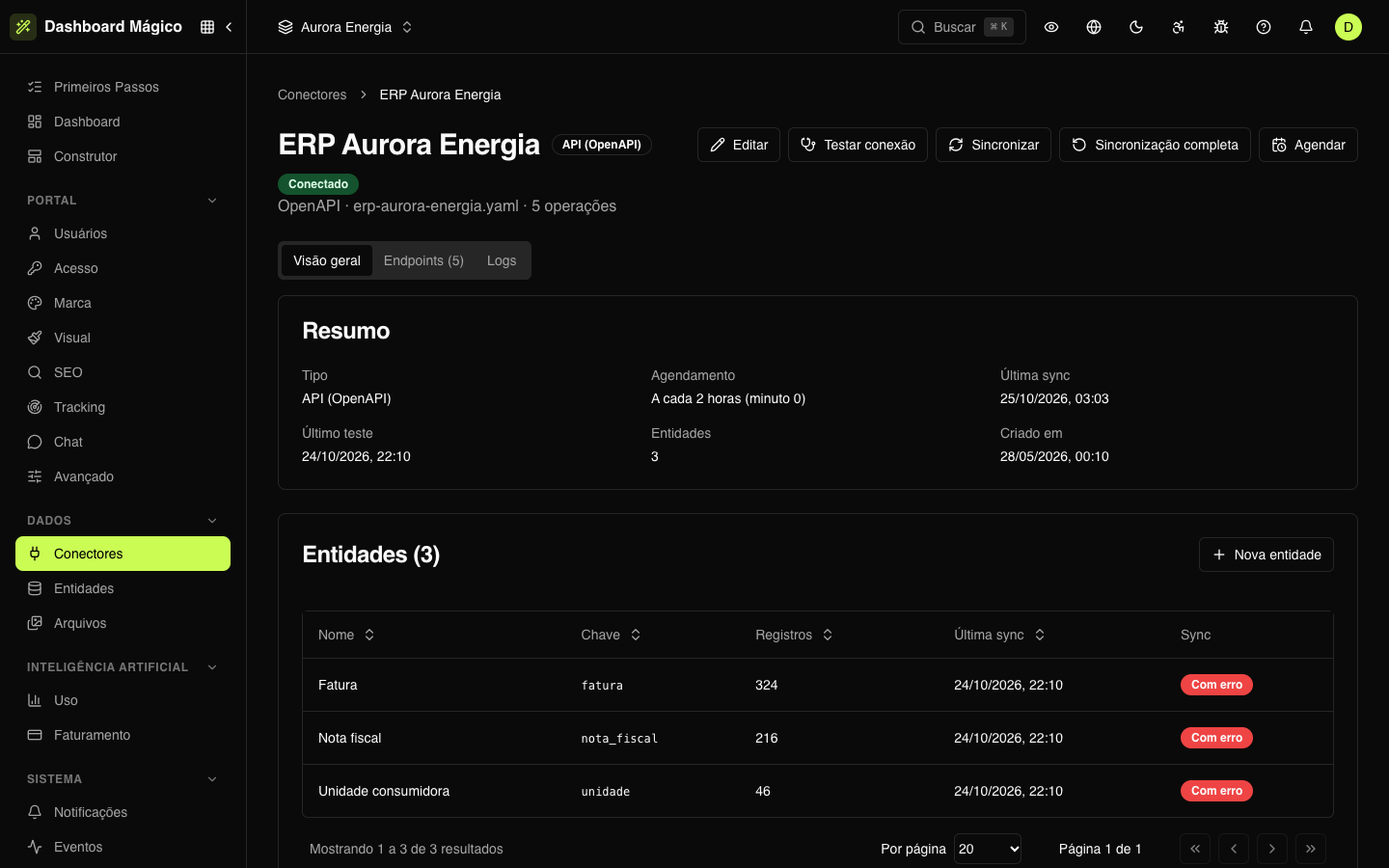
Also choose the Timezone the times apply to (the default is America/Sao_Paulo). The schedule shows in the connector list and in the connector summary — in ERP Aurora Energia, Every 2 hours (minute 0).
The schedule belongs to the connector: each run syncs its entities that are in Scheduled mode. Manual entities and those that sync when the user opens the portal are left out (see Entity sync).
A disabled connector doesn't sync, even with a schedule.
Sync now
On the connector page (or in the … menu of the list), there are two actions:
| Action | What it does |
|---|---|
| Sync | Fetches what changed since the last sync and updates the entities that read from the connector |
| Full sync | Reads everything again and removes from the entities the records the source no longer has. It can take a while and use up the source API's quota |
Both ask for confirmation and go into a queue: the records show up when the sync finishes. They include the connector's Manual entities.
Incremental or full
Whenever possible, the sync is incremental: it reads only what changed since last time. This happens when the source allows filtering by "changed since" — an endpoint with an incremental filter (the Incremental column of the Endpoints tab) or a table with a change-date column.
The sync is full — it reads everything — when:
- it is the first time;
- the source has no incremental filter (MCP tools and SQL queries, for example);
- the last full sync is more than a day old — so records deleted at the source also leave the portal;
- you ask for a Full sync.
Only the full sync removes records. Records that didn't change are not rewritten.
Each run reads at most 50,000 records per entity. If the source has more, the read stops at the limit and the removal of records that disappeared from the source doesn't run that time — the entity warns you.
Follow the runs
- On the entity: the Overview shows the sync status, the last sync, the last full sync and the result of the last run — how many records were read, new, changed, unchanged and removed. If it failed, the error appears there. See Entity sync.
- On the connector: the Logs tab lists each call made to the source, with method, endpoint, HTTP status and duration. Filter by Method and Result (success or error) or search by endpoint. Click a call to see the parameters, headers and body of the request and the response — and copy everything to send to the source system's team.
When it fails
A sync with an error doesn't delete anything: the portal keeps showing the records from the last successful sync. To find the cause:
- Open the entity with the error and read the message in the Overview.
- Open the connector Logs and look for the calls with errors: the status and the source's response usually say what happened (expired credential, timeout, invalid parameter).
- Fix the cause — for example, in Edit — and click Sync.
If you suspect the connection (credentials, network), click Test connection on the connector: if the test fails, the connector goes to Error, with the Last error in the Overview.