SQL queries
On an SQL database connector, an entity can read from a query instead of a table. Use it when the data the portal needs is spread across more than one table, or when you want to choose the columns and rows precisely.
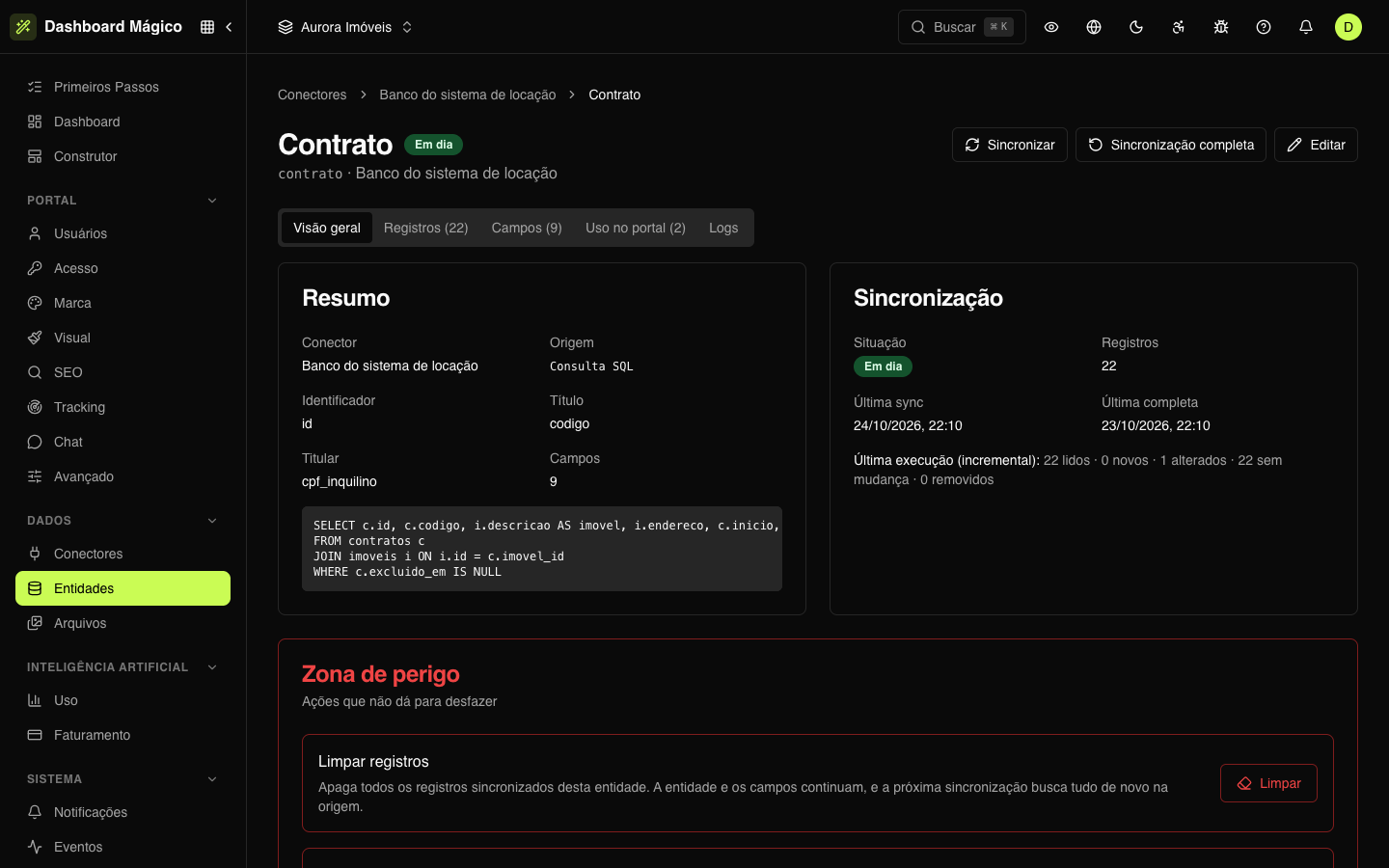
In the Aurora Imóveis workspace, the Contrato entity joins two tables from the rental database — contracts and properties — in a single query:
SELECT c.id, c.codigo, i.descricao AS imovel, i.endereco, c.inicio, c.fim,
       c.valor_aluguel, c.status, c.cpf_inquilino
FROM contratos c
JOIN imoveis i ON i.id = c.imovel_id
WHERE c.excluido_em IS NULL
Each column of the result becomes a field: imovel and endereco come from the properties table, the rest comes from the contract. The WHERE leaves out the deleted contracts.
Create an entity from SQL
- In Data › Entities, click New entity.
- Under Connection, choose the database connector and open the SQL tab.
- Write the query. The editor completes table and column names with Ctrl/Cmd + Space.
- Click Fetch data (or Ctrl/Cmd + Enter). The platform runs the query, brings a sample and builds a field for each column.
- Review the entity like any other: name, key, fields, Identifier, Title and Owner ID. In Contrato, the identifier is
id, the title iscodigoand the owner iscpf_inquilino, compared as CPF/CNPJ. - Click Create entity with N fields.
The query is recorded in the entity's Overview, under SQL query.
Query rules
- Read-only: the query must start with
SELECTorWITH. - One query at a time: no
;in the middle. - Fast: a query that takes more than 15 seconds is interrupted. Prefer indexed columns in the
JOINand theWHERE.
Besides that, the database session is opened in read mode when the database allows it. Even so, connect with a user that only has read permission.
Tips
- Bring the owner in a column. It is how each record is tied to its customer — in Contrato,
cpf_inquilino. Without an owner, no portal user sees the records. - Bring a unique identifier. A column that doesn't repeat (like
c.id) lets the sync recognize each record from one run to the next. - Give the columns clear names with
AS(i.descricao AS imovel): the column name becomes the field key. - Filter in the
WHERE, not afterwards: what the query doesn't bring takes no space or sync time.
How the sync works
An SQL entity syncs on the connector's schedule (or only when you ask, in Manual mode). Each sync runs the whole query: new records come in, changed ones are updated and those the query no longer brings leave the entity. In Sync read, you choose how many rows the sync reads at a time (the default is 500).
The When the user opens the portal mode doesn't apply to SQL queries. See Entity sync.