SEO
In Portal › SEO (/dashboard/portal/settings/seo) you decide how search engines, such as Google, treat the portal.
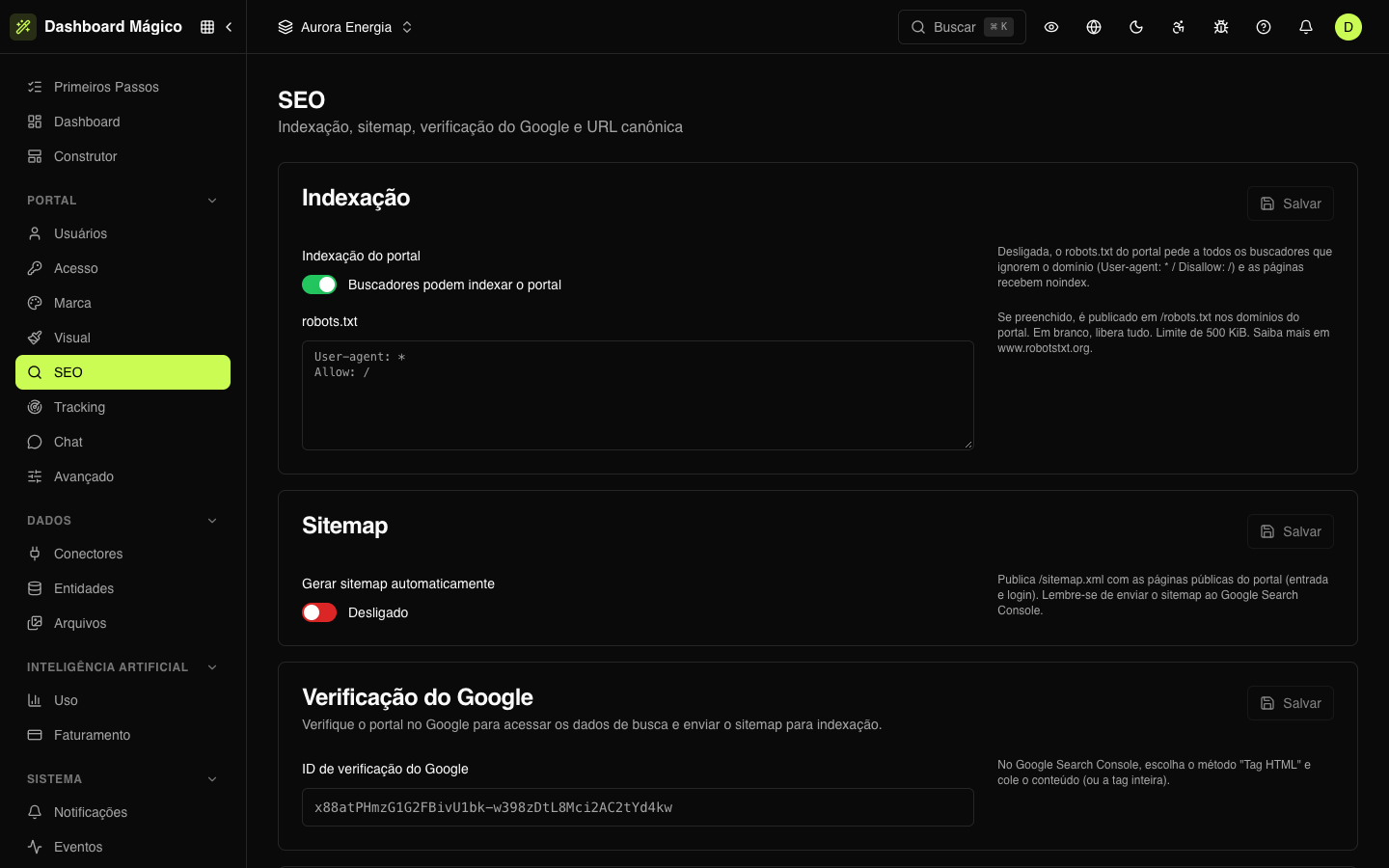
The portal sits behind the sign-in: search engines only reach the public screens, such as the sign-in screen. In most cases, what matters here is not showing up in searches, or showing up only with the entry screen.
The screen has four cards. Each has its own Save button, which lights up when there is a change.
Indexing
| Option | What it does |
|---|---|
| Portal indexing | When on, search engines can index the portal. When off, robots.txt asks all search engines to ignore the domain and the pages get noindex |
| robots.txt | The content of the portal's /robots.txt file. Blank allows everything. Up to 500 KiB. It can only be edited with indexing on |
robots.txt is published at the portal address — on the custom domain or the shared one. See Access.
Sitemap
Turn on Auto-generate sitemap to publish /sitemap.xml with the portal's public pages: the entry page and the sign-in. The sitemap address is added to robots.txt automatically.
The sitemap only exists with indexing on. After turning it on, submit the sitemap in Google Search Console.
Google verification
To see the portal's search data in Google Search Console, Google asks you to prove the portal is yours:
- In Search Console, add the portal address and choose the HTML tag method.
- Copy the tag Google shows.
- Paste it into Google site verification ID — it can be just the code or the whole tag — and click Save.
- Go back to Search Console and click Verify.
Global canonical URL
The canonical URL tells search engines which address is the "official" one for a page. This avoids duplicate content when the portal answers on more than one address — for example, on the custom domain and the shared one.
Under Canonical URL, enter the main address, such as https://portal.auroraenergia.com.br. Each page uses this address and adds its own path (https://portal.auroraenergia.com.br/login).
Meta tags and Open Graph
The description, keywords, robots and the sharing image (Open Graph) are not here: they are set in the Builder, with a default for the whole portal and adjustments per page.
The Builder's default publishes each page with noindex, nofollow. For a page to show up in searches, turn on indexing here and adjust its robots in the Builder.