Tracking
In Portal › Tracking (/dashboard/portal/settings/tracking) you turn on analytics and advertising tools on the portal. Just enter your account ID in each tool: the portal loads its code on every page, with no programming needed.
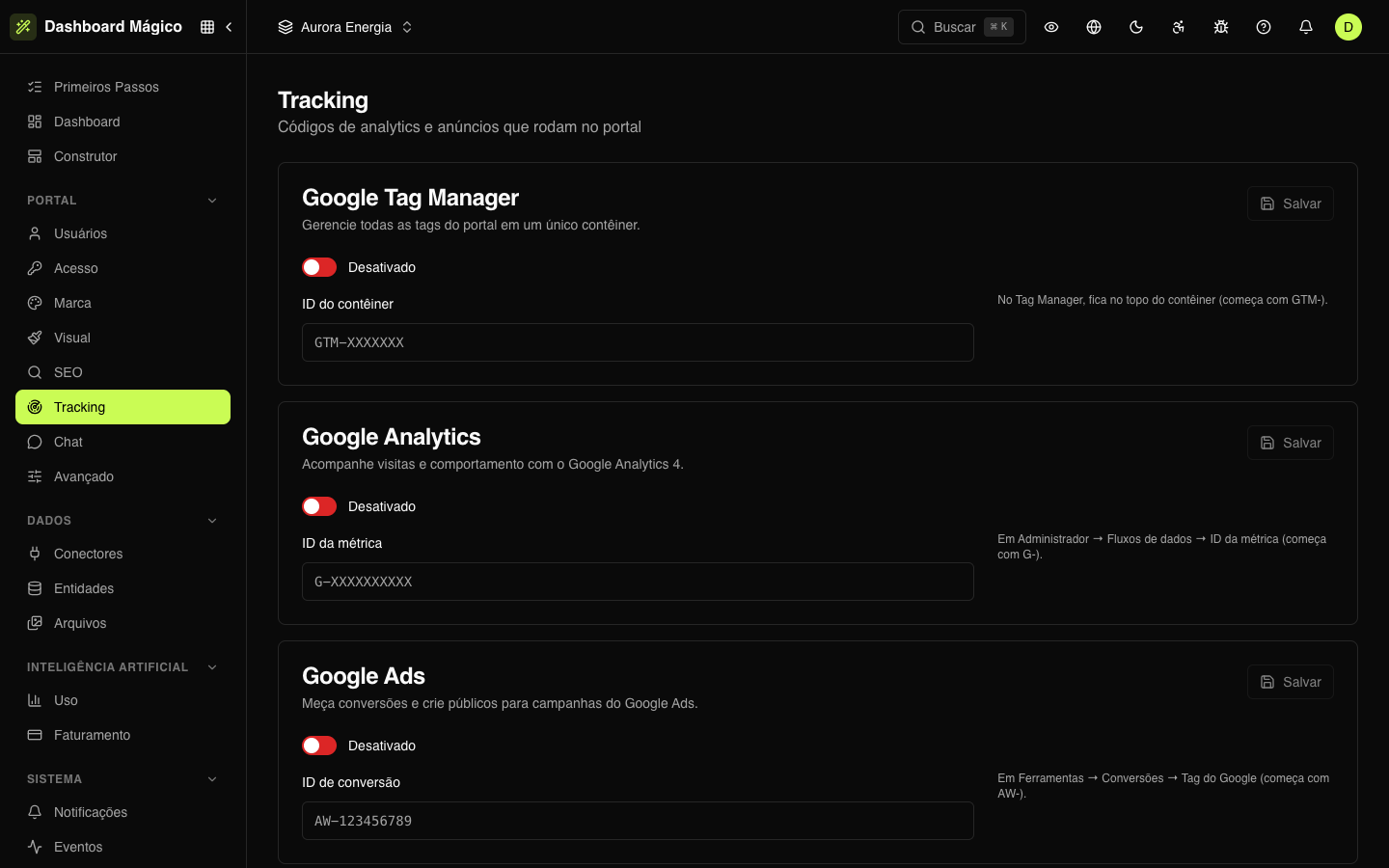
Available tools
| Tool | What you enter | Where to find it |
|---|---|---|
| Google Tag Manager | Container ID (GTM-XXXXXXX) | At the top of the container, in Tag Manager |
| Google Analytics | Measurement ID (G-XXXXXXXXXX) | Admin › Data streams |
| Google Ads | Conversion ID (AW-123456789) | Tools › Conversions › Google tag |
| Meta Pixel | Pixel ID (numbers only) | Events Manager |
| LinkedIn Insight Tag | Partner ID (numbers only) | Campaign Manager › Insight Tag |
| RD Station | Tracking code | Integrations › Tracking code: the part of the link before -loader.js |
| Mixpanel | Project token | Project settings |
| Amplitude | API key | Organization settings › Projects |
| PostHog | API key (phc_...) and, optionally, the host (https://us.i.posthog.com or https://eu.i.posthog.com) | Project settings |
| Microsoft Clarity | Project ID | Settings › Overview |
| Segment | Write Key | On the JavaScript source › Settings › API Keys |
How to turn on a tool
- Find the tool's card.
- Turn on the switch (Enabled).
- Paste the ID in the field.
- Click Save.
The portal checks the ID format before saving. If "That format doesn't look right" appears, check that you copied the right value — for example, the Google Analytics ID starts with G-.
To stop using a tool, turn the switch off and save. The ID stays stored for when you want to turn it on again.
Where the code runs
The codes run on every portal page and on the entry screens (sign-in, forgot password, invitation...), after the page loads.
They do not run when a member of your team is impersonating a user — so support doesn't show up in your metrics.
Need a tool that isn't on the list? Use the custom code in Advanced, or Google Tag Manager.
Privacy and LGPD
Analytics and advertising tools collect your customers' browsing data. Under the LGPD (Brazil's data protection law), you may need to disclose this and ask for their consent first.
The portal has no cookie notice of its own: when you turn on a tool, it starts collecting for all visitors. If you need consent, use a consent management platform — for example, configured in Google Tag Manager — and agree with your legal team on which tools to turn on.