Deliveries
Every time Magic Dashboard sends an event to an endpoint, it records a delivery: what was sent, what your system answered and how many attempts were made. With that you find out why a notice didn't arrive and resend what failed.
Where to see them
In the Webhooks tab of System › API (/dashboard/api?tab=webhooks):
- the Delivery Logs card, below the list of endpoints, shows the deliveries of all of the workspace's endpoints;
- the number in an endpoint's Deliveries column opens only that endpoint's deliveries.
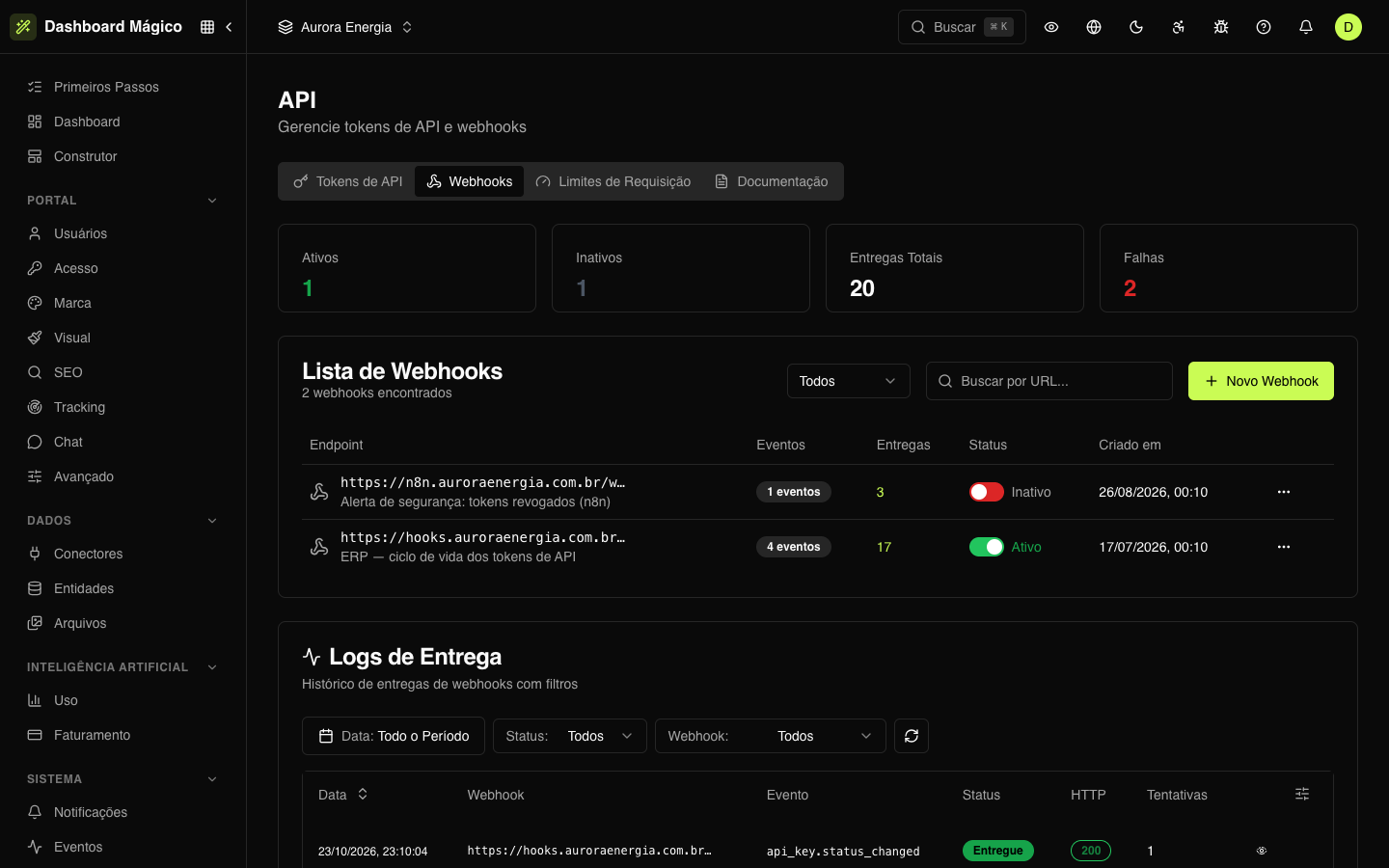
In the Delivery Logs, filter by Date, Status and Webhook, and use the refresh button to fetch the most recent deliveries. Each row shows:
| Column | What it is |
|---|---|
| Date | When the delivery was created. |
| Webhook | The endpoint's URL. |
| Event | The event type, such as api_key.revoked. |
| Status | Where the delivery stands (see below). |
| HTTP | The code your system answered with, in green when it is 2xx. |
| Attempts | How many times the delivery was attempted. |
Status
| Status | What it means |
|---|---|
| Pending | In the queue, not yet sent. |
| Delivered | Your system answered with a 2xx code within 30 seconds. |
| Failed | Your system answered with another code, took more than 30 seconds or couldn't be reached. |
See the details of a delivery
Click the eye icon on the row to open the details:
- the status, the HTTP code and the error message, when there was one;
- the headers and the request body that Magic Dashboard sent — the authentication credentials appear masked;
- the headers and the response body from your system (up to 10,000 characters).
If the request didn't even reach its destination (address down, timeout), the response appears as No response.
Retries
When a delivery fails, Magic Dashboard tries again on its own, with an interval that doubles on each attempt. Each attempt counts toward automatic deactivation: after 10 failures in a row, the endpoint is turned off (see Webhooks).
To resend a delivery that ended as Failed, click the row's resend button (Retry). The delivery goes back to the queue and is sent again, with the same data.
:::tip The same event may arrive more than once
Because of retries and manual resending, your system may receive the same event twice. Use the X-Kobana-Event-Id header to process each event only once.
:::