Rate limiting
The API accepts a maximum number of requests per time window. This limit — rate limiting — protects the platform from excess, such as an integration stuck in a loop that fires thousands of calls.
See the limits
The limits appear in the Rate Limits tab of System › API (/dashboard/api?tab=rate-limits).
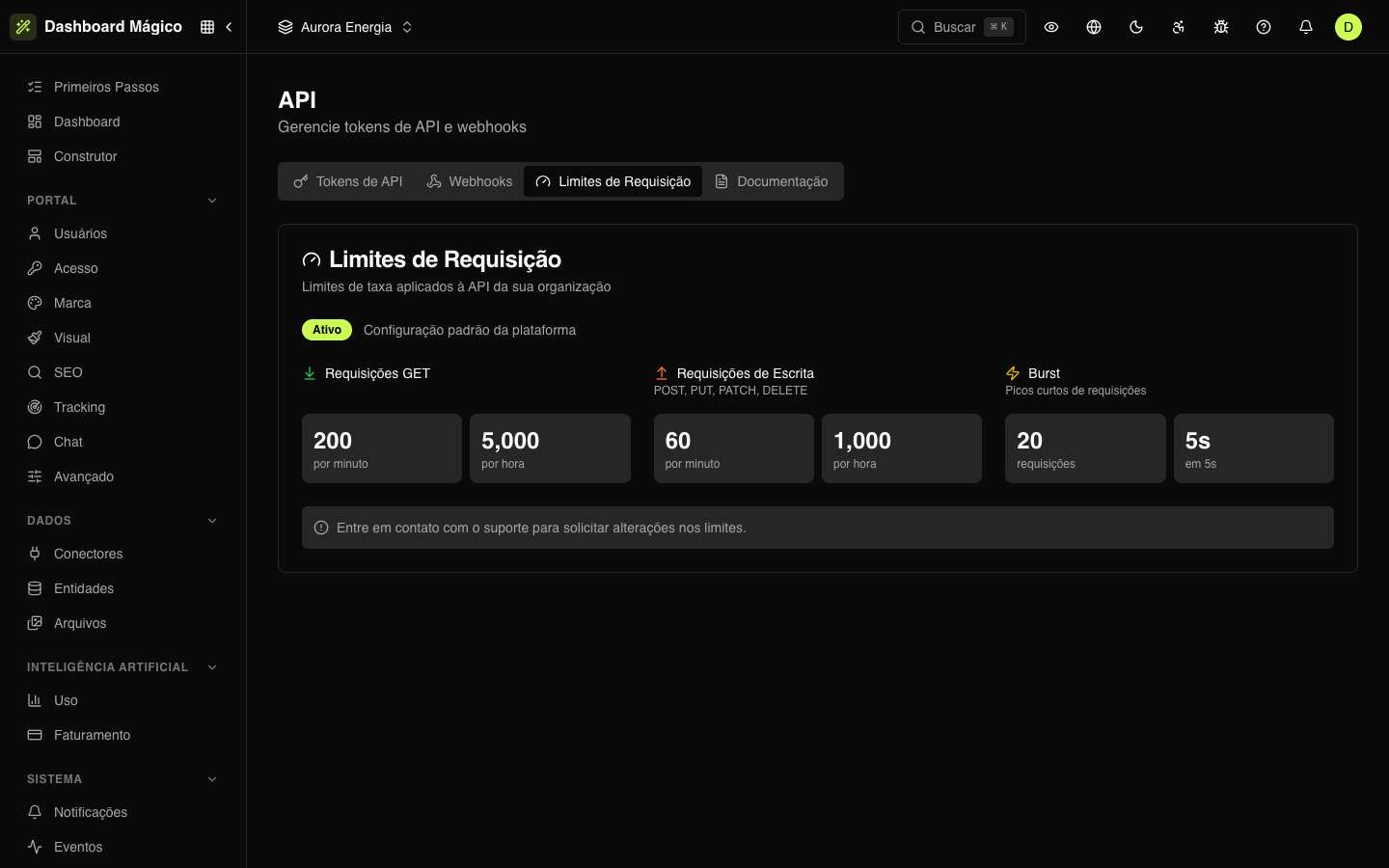
Next to the status (Enabled or Disabled), the screen says whether the organization uses the Platform default configuration or a Custom configuration. The limits come in three groups:
| Group | What counts | Platform default |
|---|---|---|
| GET Requests | Reads | 200 per minute and 5,000 per hour |
| Write Requests | POST, PUT, PATCH and DELETE | 60 per minute and 1,000 per hour |
| Burst | Short bursts of requests | 20 requests in 5 seconds |
Need different limits? Contact Kobana support: each organization's limits are adjusted by the Kobana team, not through the dashboard.
When the limit is exceeded
The API responds with 429 Too Many Requests, with the Retry-After header saying how many seconds to wait. The body carries the same value in retry_after:
{
  "error": { "code": "TOO_MANY_REQUESTS", "message": "Rate limit exceeded" },
  "retry_after": 42
}
To handle this well in your integration:
- When you receive
429, wait the seconds inRetry-Afterbefore trying again. - Don't repeat the call in an immediate loop: refused attempts also count and only extend the block.
- Spread large jobs over time — for example, use the API's pagination instead of many parallel fetches.
Each token has its own count: one integration's excess doesn't use up the others' limit. More details in the API reference.