API tokens
Every call to the Magic Dashboard API carries a token: a credential that says which organization is calling. You send it in the Authorization: Bearer <token> header of each request.
Where to create the token
Tokens are created and managed in the Kobana Account, not in Magic Dashboard. The API Tokens tab in System › API (/dashboard/api) takes you there:
- Open System › API, API Tokens tab.
- Click Go to token creation. The Kobana Account tokens page opens in another tab.
- Create the token there. On the same page you review and revoke the tokens that already exist.
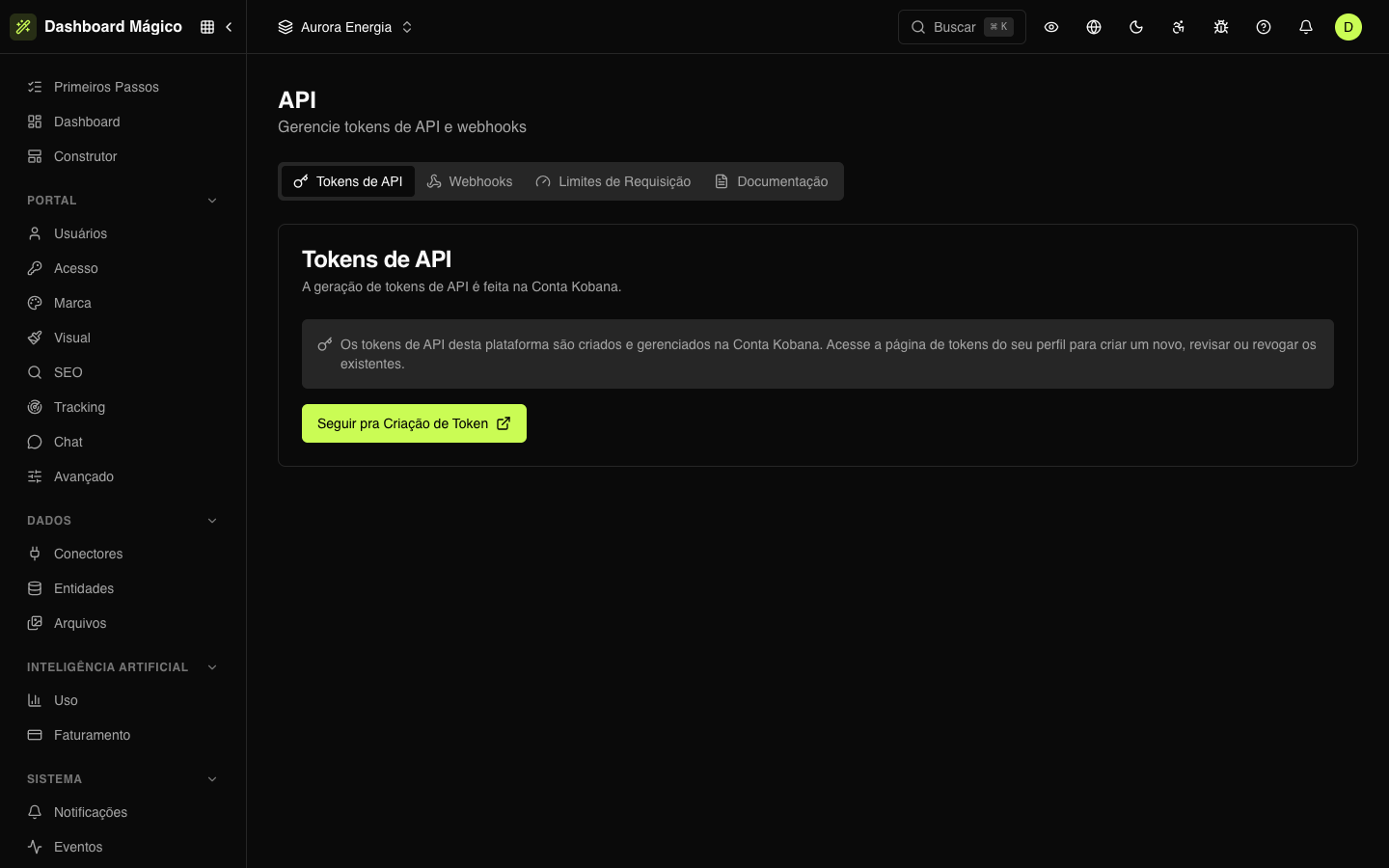
The token is valid for the whole organization. To say which workspace the call acts on, use the X-Workspace-Id header — see API and webhooks.
The technical details (token format, environments, authentication errors) are in the API authentication reference.
:::warning Sandbox and production have different tokens A sandbox token doesn't work in production, and vice versa. Create one for each environment. :::
When tokens live in Magic Dashboard itself
In some installations, the API Tokens tab shows the list of tokens and the Generate Token button instead of the shortcut to the Kobana Account. In that case:
- Generate — give it a name, a description, the expiration date (left blank, it's valid for 1 year) and the emails that receive the expiration notice. The token appears only once: copy it and keep it in a secrets vault.
- Open a token — click it in the list to see the details: origin, expiration, last use and who created, changed, disabled or revoked it.
| Action | What happens |
|---|---|
| Disable | The token stops authenticating until it is enabled again. |
| Rotate | Generates a new token, shown only once. The old one stays valid for 7 days and then stops working — update the integration within that time. |
| Revoke | Ends the token for good. There is no undo. |
| Delete | Removes an already revoked token from the list. The audit history stays. |
The registered emails (or, without them, whoever created the token) receive a notice 30 days before expiration.
Good practices
- One token per application. That way you revoke one without taking down the other systems.
- Change them from time to time. Create the new one, update the application and only then revoke the old one.
- Never in code. Keep the token in environment variables or a secrets vault.
Requests respect the limits in Rate limiting.