Audit
The Audit records who changed what, when and from where. Every creation, change and deletion made through the dashboard or the API goes into the trail. You can browse it in System › Audit Log (/dashboard/audit).
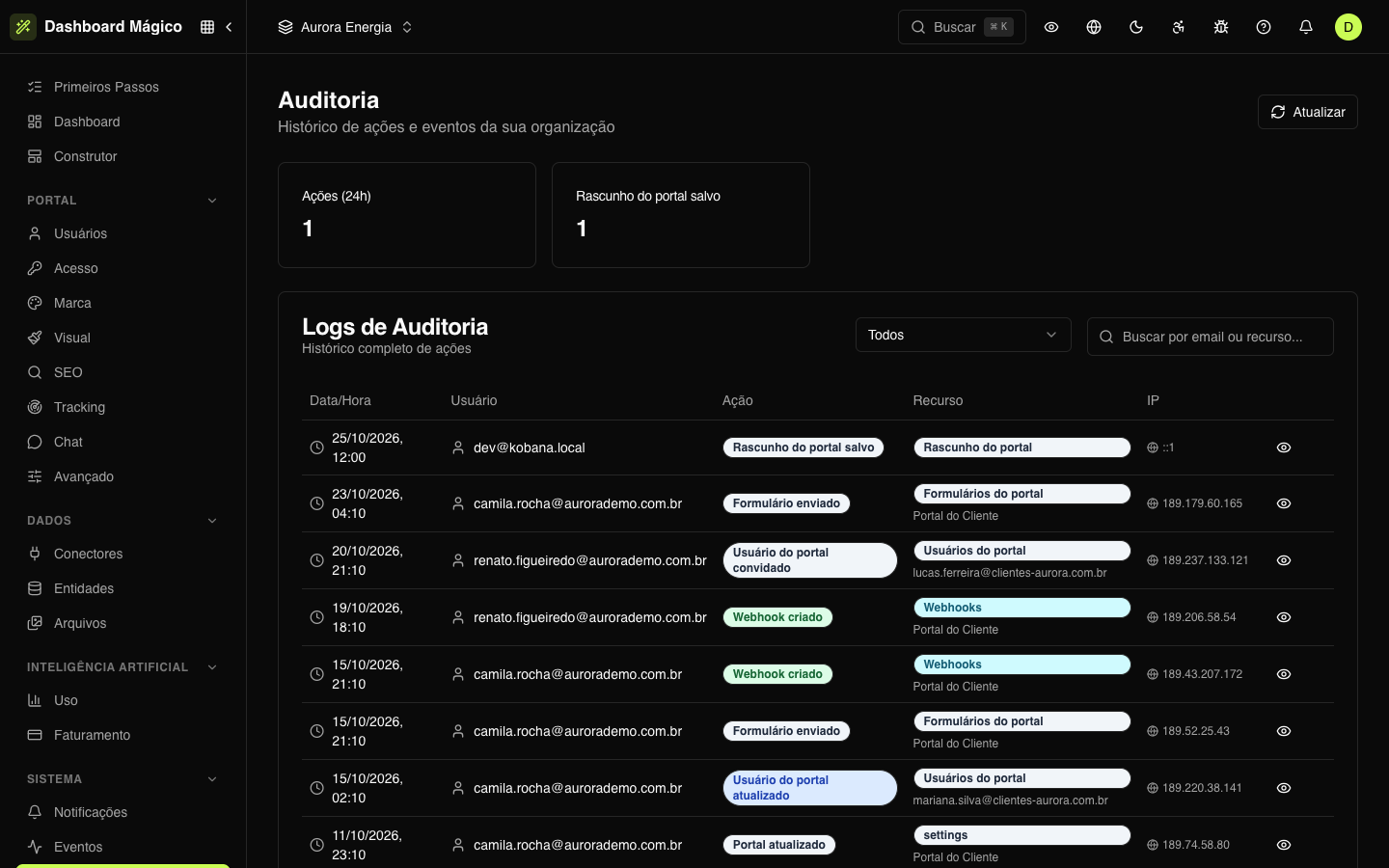
The summary
At the top, the Actions (24h) card shows how many actions were recorded in the last 24 hours. Next to it appear the most frequent actions of the period, with the count for each.
The list
| Column | What it shows |
|---|---|
| Date/Time | When the action happened. |
| User | The email of whoever performed the action. System when it was the platform itself. |
| Action | What was done — for example, "Portal user invited" or "Portal updated". |
| Resource | The resource type and, below it, its name — for example, Portal users and the user's email. |
| IP | The IP address the action came from. |
To filter, choose a Resource (portal users, connectors, entities, members, roles, workspaces, API tokens, portal settings…) or search by the email of whoever acted, by the action or by the resource type. Use Refresh to reload.
The list shows the active workspace's records and the organization's general records, which don't belong to any workspace.
Details of a record
Click the eye icon on a row to see everything that was recorded:
- User, Action, Resource and IP;
- Resource Name;
- Previous Values and New Values — how the resource was before and how it ended up;
- Changes — only the fields that changed;
- User Agent — the browser or program used.
Passwords, tokens, API keys and other secrets are never stored: [REDACTED] appears in their place.
For how long
Records are available for 90 days. After that, they are deleted automatically.
:::tip Audit or events? The audit tells you who changed it and with which values. The Events tell you what changed and feed the webhooks. :::