Consumption
The System › Consumption screen (/dashboard/system-usage) shows what your organization uses of the platform, day by day: how many members, portal users, published portals and integrations it had on each day.
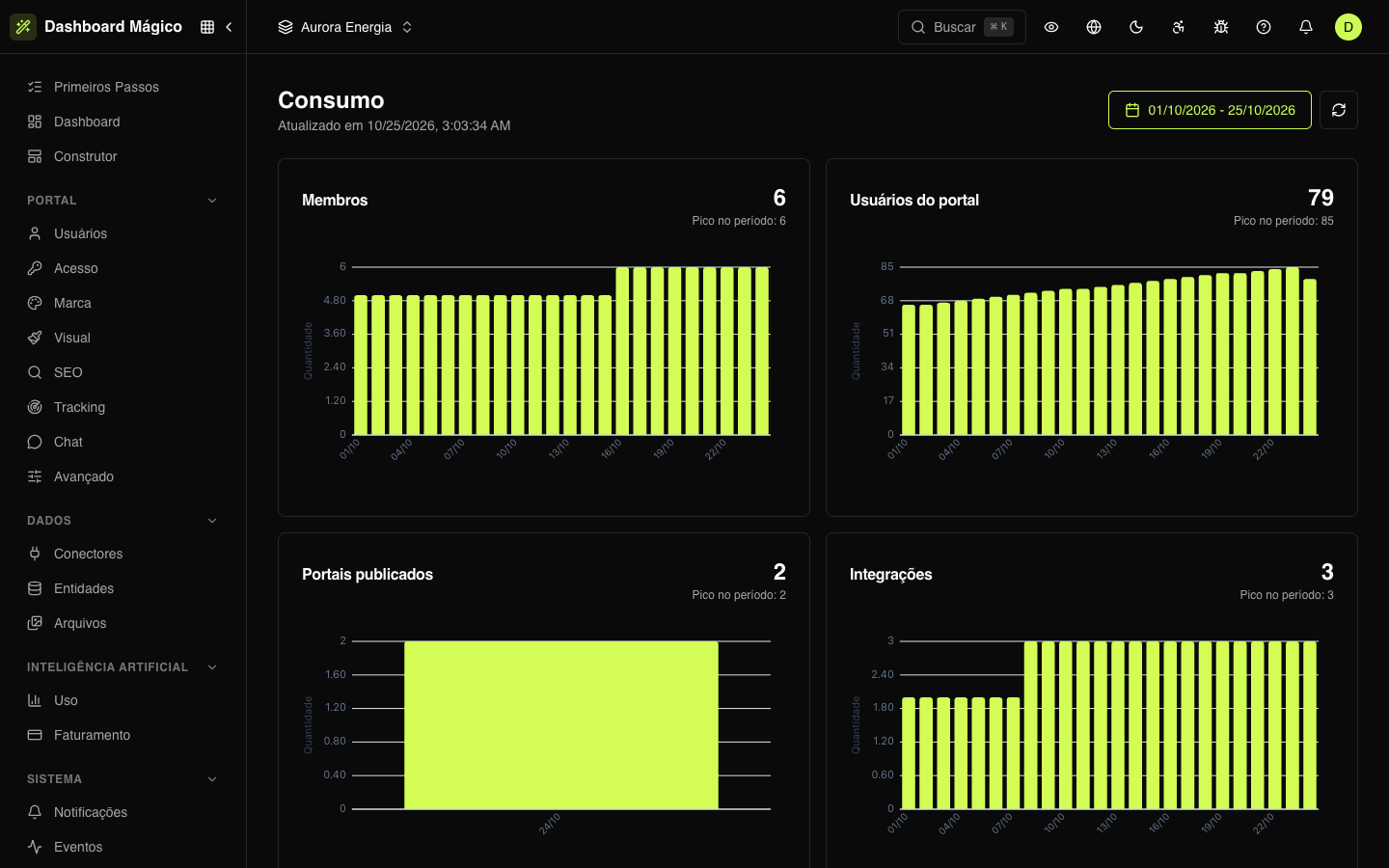
Metrics
| Metric | What it counts |
|---|---|
| Members | Team members with active status. |
| Portal users | Active portal users. |
| Published portals | Portals that had already been published at least once. |
| Integrations | Active connectors. |
The numbers add up all workspaces of the organization, not just the active workspace.
Each metric appears on a card with the most recent value of the period, the peak in the period and a chart with one bar per day.
Period
By default, the screen shows from the 1st of the month until today. Change it in the date picker; the history goes back up to 12 months. The refresh button reloads the numbers.
Where the numbers come from
Once a day, a routine stores a "snapshot" of each metric: how much the organization had at the end of the day, in Brasília time. That is why today doesn't appear yet — a day's number comes in after it ends. Below the title, Updated at shows when the last snapshot was stored.
In Aurora, for example, the most recent October snapshot shows 6 active members, 86 portal users and 3 integrations.
Artificial intelligence usage has its own screen: see AI usage.