Your profile
In My profile (/dashboard/profile) you see your account details and adjust the dashboard to your liking. To open it, click your avatar in the top right corner and choose My profile. Preferences are yours alone: they change nothing for the rest of the team.
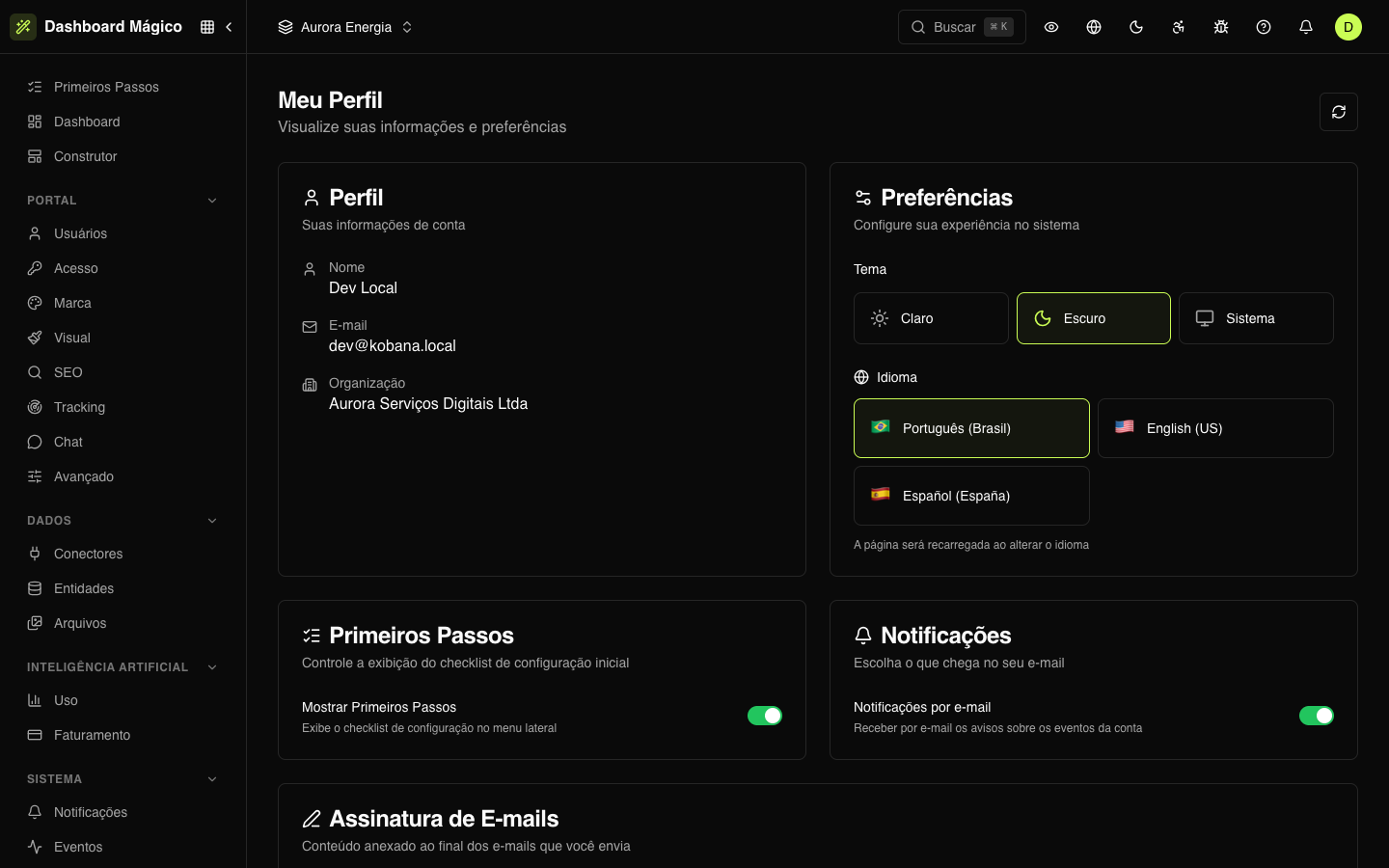
Profile
Shows your name, email and the organization you are in. These details come from your account and aren't edited here. To change your Kobana account, use Manage account, in the same avatar menu.
Preferences
- Theme: Light, Dark or System (follows your computer's theme).
- Language: Português (Brasil), English (US) or Español (España). The page reloads when you switch.
Getting Started
Show Getting Started turns the initial setup checklist in the side menu on or off. See Getting started.
Notifications
Email notifications says whether you want to receive notices about account events by email.
Email signature
A block that goes at the end of the emails sent on your behalf. It takes the place of the {{signature}} placeholder in the organization's email layout (see Email templates).
You can edit it in two ways:
- Visual — an editor with bold, italics, lists, links, images and tables;
- HTML — paste or edit the signature's HTML, which is kept exactly as you wrote it. A Preview shows how it will appear.
Click Save to store it.